Screen Time

Best Screen Time Apps Compared (2026): How to Pick the Right App Blocker

KeepFocus Team
#screen time apps#app blocker#focus apps#app recommendations#digital detox
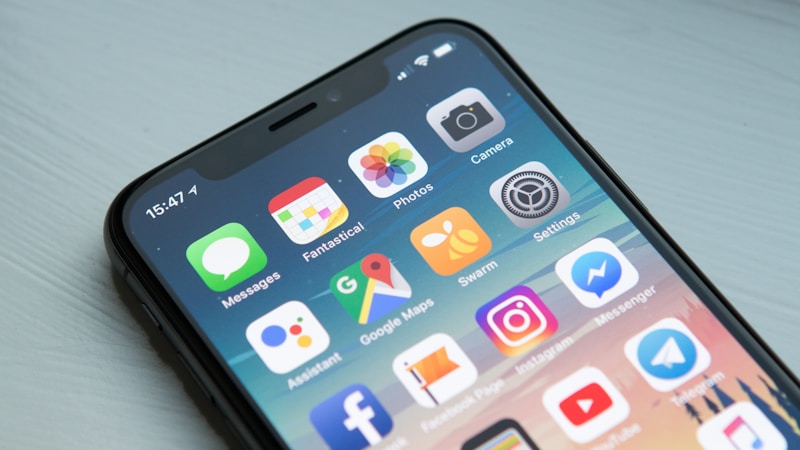
Smartphone screen showing many app icons

“I installed a screen time app, but it didn’t work.” This is common because every app blocks differently and with different strength. Some gently make you pause once; others lock you out entirely. You only see results when the app matches your goal. Here’s an honest comparison of the major options.

The Baseline: iPhone’s Built-in Screen Time

Before third-party apps, start with the baseline. Built-in Screen Time is completely free and can manage a child’s device via Family Sharing. But “Ignore Limit” or “One More Minute” lets you override it far too easily, and there are known workarounds. The key point: it’s enough for awareness, but weak on enforcement.

AppBlocking stylePrice (approx.)PlatformOne-liner
Built-in Screen TimeSchedule + limitsFreeiOSFree and built-in, weak enforcement
KeepFocusInstant/scheduled/strictFree + paid tiersiOSStrong blocking, reasonable price
OpalFocus sessions, strong blockFree + ~$99/yriOS·macOSPolished, a bit pricey
one secBreathe before openingFree + ~€15/yriOS·AndroidGentle, research-backed
ScreenZenDelay + strong blockFree (donation)iOS·AndroidCapable and free
ForestPlant a tree (motivation)~$3.99 one-timeiOS·AndroidFun, weak enforcement
FreedomCross-device blocking$8.99/mo, $199 lifetimeAll platformsBlocks PC too, costs more

Prices vary by region and time, so double-check the App Store before installing.

Friction-Style vs. Strong-Blocking

There are broadly two camps.

  • Friction-style (one sec, ScreenZen): a brief pause or breath right before you open an app, to break unconscious scrolling. It’s low-resistance, and one sec even has peer-reviewed research showing reduced usage. The catch: weak willpower can just push through.
  • Strong-blocking (KeepFocus, Opal): locks the app entirely for a set period and makes changing settings hard mid-block. Higher bypass difficulty means stronger enforcement.

What KeepFocus Is

KeepFocus sits in the strong-blocking camp, with an edge for everyday use. Its App Store listing highlights:

  • QuickBlock: block hard, right now, for up to six months to break doomscrolling.
  • App & website blocking: block any apps and sites you choose—YouTube, Instagram, TikTok, and more.
  • Scheduled blocking: set windows like weekdays 9 a.m.–5 p.m. for automatic blocking.
  • Screen time reports: daily, weekly, and monthly app-usage breakdowns.
  • Strict Mode: makes a block hard to undo yourself, cutting down “unconscious workarounds.”

Honestly, if a polished UI or cross-platform (PC) coverage is your top priority, Opal or Freedom may suit you better. But if you want strong, no-nonsense blocking of the apps you actually overuse, KeepFocus fits well.

Picks by Goal

  • Cut social media / doomscrolling: one sec, ScreenZen (gentle friction)
  • Study or work focus: KeepFocus, Opal (strong blocking)
  • When you need fun and motivation: Forest
  • Block across all devices including PC: Freedom
  • Manage a child’s phone (for parents): iPhone Family Sharing Screen Time, dedicated parental apps

How to Choose: Three Questions

  1. How hard do you want to be blocked? The weaker your willpower, the more you want strong-blocking and hard-to-disable modes.
  2. Is free enough? ScreenZen and built-in Screen Time are fully free. For long-term use, a lifetime purchase often beats a subscription.
  3. Which apps do you want to block? Make sure the app handles the specific apps you struggle with.

In the end, the best app is the one you’ll actually keep using—one that’s just hard enough to turn off. Try a few for a few days and find the strength that fits you.


Want strong, reliable blocking? Start with KeepFocus for free.

Download on the App Store

Frequently Asked Questions

Are screen time apps free?
iPhone's built-in Screen Time and ScreenZen are completely free. Most apps—KeepFocus, Opal, and others—are free to start, but core features like unlimited blocking or a strict mode require a subscription or lifetime purchase.
Is iPhone's built-in Screen Time enough?
It's enough for checking how much you use your phone. But the 'Ignore Limit' button is easy to tap and there are workarounds, so if you need strong enforcement that actually stops you, a dedicated blocker is more effective.
Can I make a block impossible to undo mid-session?
Yes. KeepFocus's strict mode, and Opal's Deep Focus, prevent changing settings or ending the block while it's running. The weaker your willpower, the more these 'hard-to-disable' modes help.

Related Articles